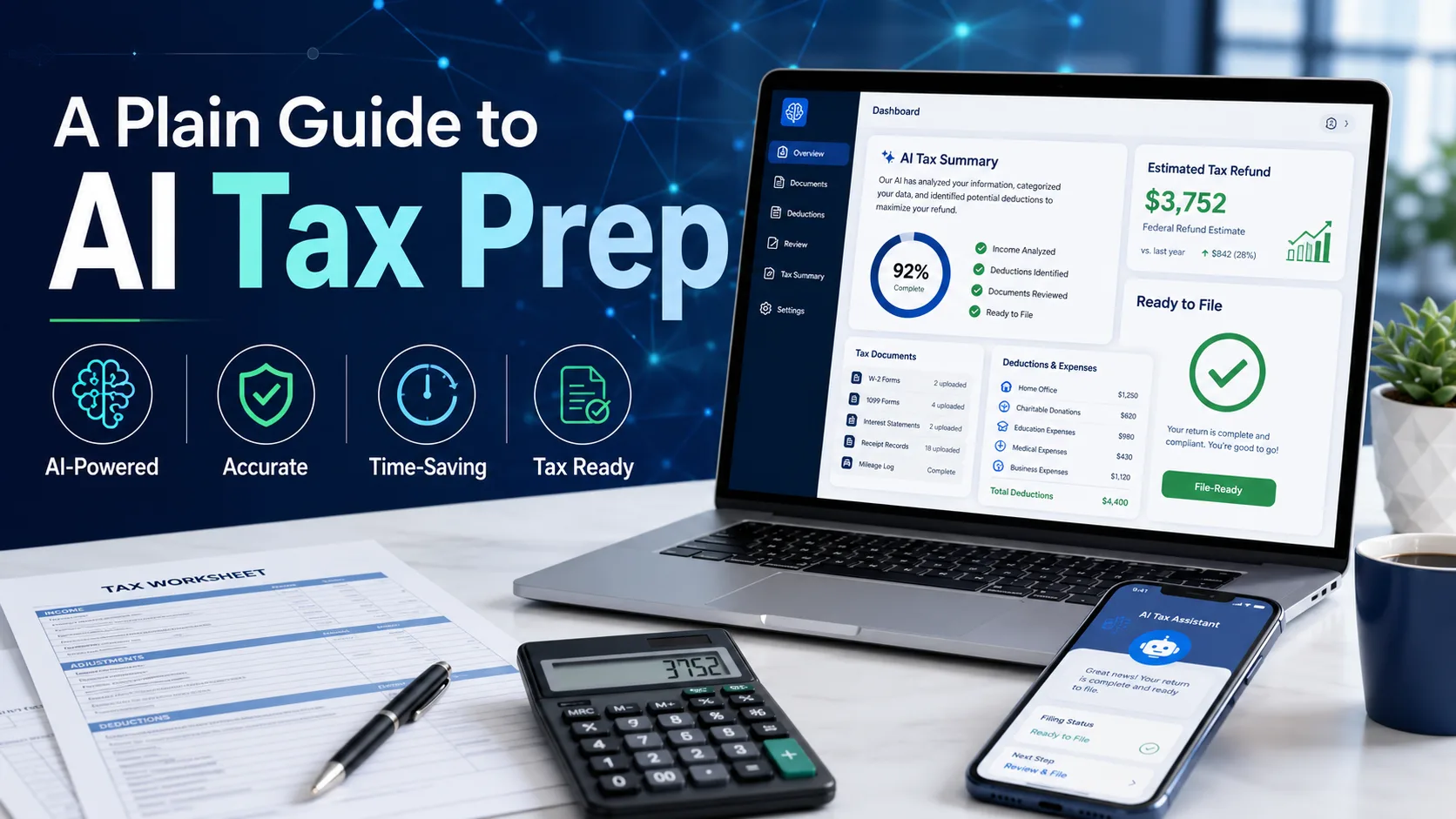
Free vs Paid AI Tax Software 2026: Honest Breakdown
A research-based breakdown built from official pricing pages, App Store ratings, Trustpilot reviews, and Reddit r/personalfinance discussions. This free vs paid AI tax software analysis honestly contrasts Cash App Taxes (genuinely free including Schedule C) with paid AI-native tools (Keeper, FlyFin) and AI-bolted-on mainstream software (TurboTax Self-Employed, H&R Block Self-Employed) — and explains which freelancers should pay and which should not.
This comparison is a research-based synthesis, not personal product testing. We analysed official pricing pages from Cash App Taxes, Keeper, FlyFin, TurboTax, and H&R Block; App Store and Google Play ratings; Trustpilot reviews; expert reviews from NerdWallet, Investopedia, The College Investor, and ModestMoney; the FTC’s 2024 final order against Intuit regarding TurboTax’s “free” advertising; and Reddit communities r/personalfinance, r/tax, and r/freelance. All five platforms received full standalone reviews in our AI tax software cluster. Read more about how we score.
The decision is one of the most confused categories in tax filing because the marketing language obscures genuine product differences. Cash App Taxes is the only mainstream option that is actually free including Schedule C — federal and one state, no upgrade traps. Paid AI-native software (Keeper at $192/year, FlyFin at $192-$348/year) charges for AI-driven deduction discovery and CPA review. Paid AI-bolted-on mainstream software (TurboTax Self-Employed at $248-$308 effective, H&R Block Self-Employed at $225-$285 effective) charges for brand recognition, audit support, and an AI layer added to traditional tax engines.
The honest verdict in any rigorous analysis comes down to one question: how much value does the AI layer or paid expert actually add for your specific situation? For W-2 only or simple Schedule C freelancers in single states, Cash App Taxes covers the same forms at zero cost. For freelancers with significant deductible expenses or first-time Schedule C filers, paid AI-native tools earn their cost in discovered deductions. For users who specifically want mainstream brand assurance or in-person office access, bolted-on paid software earns its premium. This matchup rewards honest matching of tool to situation.
Different winners by filer type. In the decision: Cash App Taxes (3.9/5) wins for W-2 filers and simple Schedule C freelancers in single states. Keeper (4.4/5) wins for freelancers wanting AI-native deduction discovery at $192/year. FlyFin (4.2/5) wins for freelancers wanting AI + CPA review at $192-$348. TurboTax SE (4.0/5) wins for users wanting Intuit’s brand at $248-$308. H&R Block SE (3.8/5) wins for in-person office backup at $225-$285. The decision tilts to Cash App Taxes for ~70% of filers; paid options earn their cost in specific situations.
Quick comparison at a glance
Before getting into the full breakdown, here’s how the five major platforms compare on the dimensions most filers ask about. Each row in this comparison reflects the consistent pattern across our research.
| Dimension | Cash App Taxes | Keeper | FlyFin | TurboTax SE | H&R Block SE |
|---|---|---|---|---|---|
| Effective cost | $0 | $192/yr | $192-$348 | $248-$308 | $225-$285 |
| AI approach | None | AI-native deduction discovery | AI + CPA review hybrid | Intuit Assist (bolted-on) | AI Tax Assist (bolted-on) |
| Schedule C support | Yes (free) | Yes (core) | Yes (core) | Yes | Yes |
| Multi-state | Single state only | Yes | Yes | Yes (+$48/state) | Yes (+$45/state) |
| CPA review | No | Optional add-on | Included on higher tier | $99 add-on (TurboTax Live) | Included on higher tier |
| Audit support | Basic | Add-on | Included | Yes (Premium tier) | Yes (Worry-Free) |
| In-person offices | No | No | No | No | Yes (~9,000 US) |
| Best for | Simple filers, single-state | Deduction-heavy freelancers | Freelancers wanting CPA + AI | Mainstream brand seekers | In-person backup seekers |
| Our overall rating | 3.9/5 | 4.4/5 | 4.2/5 | 4.0/5 | 3.8/5 |
What each tier actually does (free vs paid AI tax software primer)
Understanding the free vs paid AI tax software difference starts with knowing what each tier was built for. The free vs paid AI tax software market splits into three structurally different categories — they aren’t interchangeable, and the price differences reflect genuinely different product approaches.
The free tier: Cash App Taxes
Cash App Taxes (owned by Block Inc., previously Credit Karma Tax before the 2020 acquisition) is the free side of the free vs paid AI tax software market — and the only mainstream tax software that is genuinely free for federal and state filing including Schedule C self-employment income. No upgrade prompts mid-flow. No “free” headline that becomes paid when you add a 1099. The trade-offs: single-state filing only (no multi-state returns), no live human support, no in-person offices, and a less polished interface than paid mainstream tools. For filers whose situations fit within these constraints, the free tier is the rational choice. Cash App Taxes received our standalone review at 3.9/5. Read our full Cash App Taxes review.
The AI-native paid tier: Keeper and FlyFin
Keeper (founded 2018) and FlyFin (founded 2020) represent the AI-native approach to free vs paid AI tax software. Both were built from scratch around AI-driven deduction discovery for freelancers and self-employed filers. Keeper charges $192/year flat, focuses on year-round deduction tracking via bank account integration, and offers optional CPA review. FlyFin charges $192-$348/year depending on tier, includes CPA review on higher tiers, and emphasises the AI + human expert hybrid model. Both deliver materially deeper deduction discovery than bolted-on mainstream tools because the AI is the core product, not an overlay. Keeper rates 4.4/5; FlyFin rates 4.2/5 in our cluster.
The AI-bolted-on paid tier: TurboTax SE and H&R Block SE
TurboTax Self-Employed ($248-$308 effective) and H&R Block Self-Employed ($225-$285 effective) occupy the AI-bolted-on tier of the free vs paid AI tax software market — mainstream tax software with AI layers added. Intuit Assist (TurboTax) and AI Tax Assist (H&R Block) provide conversational guidance and basic deduction prompts, but the underlying tax engine predates the AI layer. The premium versus Cash App Taxes buys brand recognition, broader form coverage, audit support tiers, and (for H&R Block) in-person office backup. The premium versus AI-native paid tools is less defensible — the AI is genuinely shallower, though the brand and support infrastructure remain stronger.
Pricing reality across all five tools
The free vs paid AI tax software pricing comparison reveals a more complex picture than headline numbers suggest. The actual effective cost depends on state filings, audit support tiers, and the gap between advertised and final price.
Cash App Taxes pricing structure
Cash App Taxes is $0 federal and $0 state for single-state filers. There is no paid tier — the entire product is free. Block Inc. monetises Cash App Taxes indirectly through Cash App ecosystem cross-selling (the tax product is the loss leader; the broader Cash App banking and Bitcoin products generate revenue). For multi-state filers, Cash App Taxes simply doesn’t support the use case — you’d need to file the second state elsewhere. In the free vs paid AI tax software pricing landscape, this actual zero-cost structure is unique among mainstream options.
Keeper and FlyFin pricing structure
Keeper charges $192/year flat — billed as $16/month or as an annual subscription. The price includes year-round expense tracking, deduction discovery, and tax filing. CPA review is an add-on (approximately $99 additional). FlyFin offers three tiers in the free vs paid AI tax software market: Basic at $192/year (AI deduction tracking only), Premium at $228/year (adds basic CPA support), and Standard at $348/year (full CPA review included). Both products bill annually but provide value year-round, not just at tax season — the deduction tracking happens continuously throughout the year.
TurboTax SE and H&R Block SE pricing structure
TurboTax Self-Employed lists at $129 federal + $59 per state (online) but the effective price most users pay is $248-$308 because the Self-Employed tier typically requires the Live Assisted add-on ($99-$199) for CPA review, plus optional Premium Audit Defense ($60). H&R Block Self-Employed lists at $115 federal + $45 per state with similar add-on structure totaling $225-$285 effective. Per the FTC’s January 2024 final order against Intuit, TurboTax’s marketing of free filing had been historically misleading regarding the actual cost most filers face — context that matters in any free vs paid AI tax software pricing analysis.
For most retail filers, the free vs paid AI tax software pricing decision is shaped by filing complexity, not preference. W-2-only filers in single states should default to Cash App Taxes — paying anything else is unused capability. Schedule C freelancers with meaningful expenses face a real $192-$348 question: AI-native tools (Keeper, FlyFin) typically pay for themselves in discovered deductions if you have $5,000+ in deductible expenses. Bolted-on mainstream tools (TurboTax SE, H&R Block SE) charge $225-$308 for brand and support rather than AI depth. The math rarely favours bolted-on paid for AI-driven filers — but it can favour them for users who specifically want Intuit’s or H&R Block’s broader support infrastructure.
Cash App Taxes: genuinely free, with real limits
The Cash App Taxes side of the free vs paid AI tax software market is genuinely the strongest “free” offering in mainstream US tax software — but the constraints are real and matter for some filers.
What Cash App Taxes covers free
The free side of the free vs paid AI tax software market covers federal returns including W-2 wages, 1099 self-employment (Schedule C), 1099-INT and 1099-DIV investment income, capital gains (Schedule D), rental income (Schedule E), itemised deductions (Schedule A), HSA contributions, and most common credits (EITC, Child Tax Credit, education credits). One state return included free. Per published Cash App Taxes documentation, the form coverage is genuinely broad — the constraint is delivery quality, not coverage.
Where Cash App Taxes falls short
The single-state limitation is the structural constraint of the free vs paid AI tax software entry point — multi-state filers (those who lived in or earned income in two or more states during the tax year) need different software. No support for non-resident state returns. No live phone support — help is limited to in-app FAQs and email. No audit defence — if the IRS challenges your return, you’re on your own. Less polished interface than TurboTax or H&R Block. Some complex situations (foreign income, certain trust distributions, K-1 from partnerships with complex allocations) push beyond what the free product handles smoothly.
Who Cash App Taxes genuinely serves well
W-2 only filers with single-state residency. Simple Schedule C freelancers with bank-statement-based deductions and minimal expense complexity. Renters and homeowners using standard deduction. Filers comfortable with self-service software who don’t anticipate IRS questions. Filers who specifically want to avoid Intuit due to the FTC settlement context. For these profiles in the free vs paid AI tax software market, paying $192-$308 elsewhere is purely unused capability.
AI-native paid: Keeper and FlyFin
The AI-native paid side of the free vs paid AI tax software market represents the genuinely differentiated paid option — where the AI layer delivers material value beyond what free or bolted-on mainstream tools provide.
Keeper: year-round deduction discovery
Keeper connects to your bank accounts and credit cards via secure aggregators and categorises transactions throughout the year — not just at tax season. The AI flags business-deductible expenses based on category, merchant pattern, and user feedback over time. By tax season, you have a structured list of validated deductions rather than facing a year of statements to review manually. The $192/year price includes federal and multi-state filing. Optional CPA review is an add-on (~$99). In our free vs paid AI tax software cluster, Keeper rates 4.4/5 — the highest score. Read our full Keeper review.
FlyFin: AI + CPA hybrid
FlyFin uses a similar AI-driven deduction discovery approach to Keeper but emphasises the human CPA expert layer more prominently. The Standard tier ($348/year) includes full CPA review of your return before filing — a meaningful safeguard for first-time Schedule C filers or filers with unusual situations. The lower tiers ($192-$228) provide AI deduction tracking with limited or no CPA review. Within the free vs paid AI tax software cluster, FlyFin rates 4.2/5 — slightly behind Keeper on AI depth but ahead on CPA integration for users who want human review. Read our full FlyFin review.
Where AI-native paid tools earn their cost
Per consistent published research, AI-driven deduction discovery in the free vs paid AI tax software market typically identifies $3,000-$8,000 in additional deductions for freelancers with $50,000-$150,000 in gross self-employment income — primarily by catching deductible home office, business meal, software subscription, mileage, and professional development expenses that filers would otherwise miss. At a 25% effective tax rate, that’s $750-$2,000 in additional tax savings annually. Against $192/year cost, AI-native tools in the free vs paid AI tax software market pay for themselves at any meaningful Schedule C income level. Per the IRS’s official guidance on deducting business expenses, the ordinary-and-necessary standard supports a wider range of legitimate deductions than most filers realise.
AI-bolted-on paid: TurboTax SE and H&R Block SE
The AI-bolted-on paid side of the free vs paid AI tax software market is where the cost-to-value calculation gets hardest to defend. Both TurboTax Self-Employed and H&R Block Self-Employed charge $225-$308 effective for tax engines that predate their AI layers — the AI is genuinely shallower than what Keeper or FlyFin deliver at $192.
TurboTax Self-Employed and Intuit Assist
TurboTax Self-Employed remains the mainstream brand leader in self-employed tax filing despite the 2022 FTC settlement and 2024 final order. Intuit Assist (the AI layer added in 2023-2024) provides conversational Q&A guidance, basic deduction prompts, and answer verification. The underlying TurboTax tax engine is genuinely sophisticated — broad form coverage, strong audit support (Premium tier), and integration with QuickBooks for active small business users. Within the landscape, the AI is the weakest part of the product, not the strongest. TurboTax SE rates 4.0/5. Read our full TurboTax SE review.
H&R Block Self-Employed and AI Tax Assist
H&R Block Self-Employed competes with TurboTax SE on roughly equivalent terms but with one structural differentiator: approximately 9,000 in-person H&R Block offices across the US. For users who want the option of walking into an office mid-flow with a question, H&R Block SE delivers what no other product in the free vs paid AI tax software market offers. AI Tax Assist provides similar conversational guidance to Intuit Assist but is rated as marginally less polished by expert reviewers. H&R Block SE rates 3.8/5. Read our full H&R Block SE review.
When bolted-on paid genuinely beats AI-native paid
For users who specifically want Intuit ecosystem integration (QuickBooks Self-Employed, Mint historical data, TurboTax brand assurance), TurboTax SE earns its premium over Keeper or FlyFin. For users who specifically want in-person office backup (older filers, first-time Schedule C filers wanting human reassurance, or filers in regions with limited internet reliability), H&R Block SE earns its premium. For users who don’t need either of these specific structural advantages, AI-native paid tools in the free vs paid AI tax software market deliver more AI depth at lower cost.
The TurboTax FTC settlement context
No honest comparison skips the FTC enforcement history against Intuit’s “free” TurboTax marketing. The settlement context matters because it directly shapes the free vs paid AI tax software framing across the entire category.
What the FTC found
Per the FTC’s January 2024 final order, Intuit had engaged in deceptive advertising by marketing TurboTax as “free” when the majority of filers who started with the free product were ultimately required to upgrade to paid tiers. The order prohibits Intuit from advertising any product as “free” unless it is free for all consumers, or unless qualifying disclosures appear prominently. The earlier 2022 Multistate Tax Commission settlement required Intuit to pay $141 million to consumers across 50 states and DC who had been misled by “free” marketing — context that anchors any free vs paid AI tax software discussion.
What changed after the settlement
Intuit complied with the FTC’s order by updating TurboTax’s “free” marketing claims throughout 2024 and 2025. The product is now transparently positioned as paid for any filer with self-employment income, investment income, or itemised deductions. The $141 million consumer settlement was distributed in 2024. The structural concern in the free vs paid AI tax software framing remains: Intuit’s incentive structure favours upgrade conversion, which conflicts with serving filers whose situations don’t actually require paid tiers. Cash App Taxes’ single-product structure avoids this conflict.
The honesty premium
Cash App Taxes’ transparent free structure is genuinely a competitive advantage in this market. The trade-off (single-state, less polish, no live support) is real but the cost transparency is rare. Keeper and FlyFin’s upfront annual subscription model also avoids the upgrade-trap pattern. In the free vs paid AI tax software pricing landscape, the cleanest pricing transparency lives outside the TurboTax/H&R Block ecosystem.
Winner by filer type (decision matrix)
The question has different answers for different filer profiles. Here are the consistent verdicts from our free vs paid AI tax software research across the cluster.
You file W-2 only with single-state residency. You’re a simple Schedule C freelancer with bank-statement-based deductions in a single state. You take the standard deduction with simple investments (1099-INT, 1099-DIV). You’re comfortable with self-service software without live support. You specifically want to avoid Intuit’s ecosystem after the FTC enforcement context. You don’t have multi-state filing complexity, K-1 partnerships, or foreign income. The decision tilts to Cash App Taxes for the majority of US filers in our research.
You’re a freelancer with $5,000+ in deductible business expenses annually. You want year-round AI-driven deduction tracking, not just tax-season filing. You have multi-state filing complexity. You appreciate the AI-native approach over bolted-on AI layers. You don’t need integrated CPA review (or want it as a paid add-on rather than included). You file Schedule C consistently and want a tool that improves deduction discovery year over year. The decision tilts to Keeper when AI depth and year-round expense capture matter most.
You’re a freelancer who specifically wants integrated CPA review with your AI tax software. You’re filing Schedule C for the first time and want human verification before submission. You have complex deductions (home office, vehicle, equipment depreciation) that benefit from CPA review. You’re willing to pay $156 more than Keeper ($348 vs $192) for included CPA review rather than add-on. The decision tilts to FlyFin when human expert review matters as much as AI depth.
You specifically want Intuit ecosystem integration (QuickBooks Self-Employed, historical Mint data). You value Intuit’s brand and audit support infrastructure over deeper AI. You file complex situations (rental properties, multiple Schedule C businesses, K-1 partnerships) that benefit from TurboTax’s broader form coverage. You’re willing to pay $56-$116 more than AI-native alternatives for mainstream brand assurance. In the free vs paid AI tax software market, the decision tilts to TurboTax SE when Intuit ecosystem and brand support outweigh AI depth.
You specifically want the option of walking into an in-person H&R Block office mid-flow. You’re a first-time Schedule C filer wanting human reassurance available locally. You live in a region with reliable H&R Block office coverage (most US metro areas). You value Worry-Free Audit Support’s structure over TurboTax Premium’s equivalent. You don’t need Intuit ecosystem integration. The decision tilts to H&R Block SE when in-person backup is genuinely valuable.
This comparison is educational content, not personalised tax advice. Tax filing involves legal obligation and individual circumstances. Past tax outcomes do not guarantee future results. Deduction values depend on individual tax situations and applicable rates. Software-driven deduction suggestions are not substitutes for professional tax advice. Before filing any return based on tools described here, consult a qualified Certified Public Accountant or Enrolled Agent regarding your specific circumstances, particularly for first-time Schedule C filers, multi-state situations, or complex business structures.
When to stack tools or skip both
The decision sometimes resolves to neither single option — stacking tools or skipping both for a CPA can be the cost-rational answer at specific filer profiles. This is where the free vs paid AI tax software framing genuinely breaks down for the most complex situations.
The Keeper + Cash App Taxes stack
Some freelancers use Keeper year-round for deduction tracking ($192/year) and then file the actual return through Cash App Taxes free. This works if Keeper’s tracking exports cleanly into Cash App Taxes’ Schedule C input fields — verify this before committing. The stack delivers AI-native deduction discovery at $192 total cost rather than $192-$348, but requires manual data transfer at tax season. Not all filers will find the stack worthwhile; for most users in the free vs paid AI tax software market, paying Keeper to handle filing too is the cleaner workflow.
When to skip software and go full CPA
For filers with multiple business entities, K-1 partnerships with complex allocations, foreign income (FBAR/FATCA filing), large rental property portfolios, or significant investment trading activity (Schedule D with hundreds of transactions), a full CPA or Enrolled Agent typically delivers better outcomes than any free vs paid AI tax software option. Full-service CPA fees typically range $400-$1,500 for individual returns with these complexities. Above this complexity level, software’s $192-$308 cost saves money relative to a CPA but at meaningful risk of missed optimisations a human professional would catch.
The hybrid: software for filing, CPA for advisory
The most cost-effective sophistication for many high-complexity filers is using AI-native software (Keeper or FlyFin) for the actual filing and engaging a fee-only CPA on retainer ($300-$600/year) for advisory questions throughout the year. This stack costs $492-$948/year versus $800-$1,500 for full-service CPA filing. Per the IRS’s guidance on choosing a tax professional, the right approach in the decision depends on complexity rather than absolute income level — high earners with simple W-2 income often don’t need a CPA, while moderate earners with complex business structures often do.
Free vs paid AI tax software FAQ
Is Cash App Taxes really free, or are there hidden upgrade traps in the free vs paid AI tax software market?
Per published Cash App Taxes documentation and consistent user reports across Reddit r/personalfinance and r/tax, the product is genuinely free for federal and one state return — no mid-flow upgrade prompts, no paid tier to push users toward. Block Inc. monetises via the broader Cash App ecosystem, not the tax product itself. The structural limits (single-state, no live support, less polish) are upfront — they’re real constraints but they aren’t bait-and-switch upgrades. In the free vs paid AI tax software market, this transparent zero-cost structure is genuinely uncommon.
Is Keeper or FlyFin worth $192/year over Cash App Taxes free?
For freelancers with $5,000+ in deductible business expenses, yes — meaningfully. AI-driven deduction discovery typically identifies $3,000-$8,000 in additional deductions that filers would otherwise miss, translating to $750-$2,000 in additional tax savings at typical effective rates. Against $192 cost, AI-native paid tools pay for themselves at any meaningful Schedule C income level. For W-2 filers or freelancers with minimal deductible expenses, the AI value is genuinely less compelling and Cash App Taxes free remains the rational choice in the decision.
Is TurboTax SE worth $248-$308 over Keeper at $192?
Rarely, in pure cost-to-value terms. TurboTax SE charges $56-$116 more than Keeper for an AI layer that is genuinely shallower (bolted-on rather than AI-native). The premium earns its cost only when filers specifically need Intuit ecosystem integration (QuickBooks Self-Employed), TurboTax brand assurance, or the broader form coverage for complex situations like multi-property rental portfolios. For pure freelancer Schedule C filing with deduction discovery as the primary AI need, in the free vs paid AI tax software market, Keeper delivers more value at lower cost.
What if I have multi-state filing? Cash App Taxes doesn’t support it.
Multi-state filers face the structural constraint that Cash App Taxes doesn’t support multi-state returns. The options: pay for paid software that supports multi-state (Keeper, FlyFin, TurboTax SE, H&R Block SE all do), or file the primary state via Cash App Taxes free and file the second state manually via paper or another tool. For most multi-state filers, the operational complexity of stacking tools exceeds the savings — in the decision, paid software typically wins once multi-state enters the equation.
Does the FTC settlement against Intuit mean I should avoid TurboTax?
Not necessarily, but it deserves weight. Per the FTC’s 2024 final order, Intuit is now prohibited from advertising products as “free” without qualifying disclosures, and paid $141 million to misled consumers in the 2022 settlement. The current TurboTax Self-Employed product is no longer marketed under the misleading “free” framing — it’s transparently a paid product. In the free vs paid AI tax software market, users who specifically value the FTC enforcement context as a reason to avoid Intuit, Cash App Taxes (also owned by Block Inc., not Intuit) or AI-native alternatives (Keeper, FlyFin) deliver the same core capabilities without the historical concern.
Can I switch between these tools year-over-year?
Yes, though with caveats. Each platform imports prior-year data from the major competitors (TurboTax, H&R Block, and Cash App Taxes all accept prior-year imports from each other and from PDF returns). The switching friction is typically 30-60 minutes of manual verification rather than a structural barrier. For filers experimenting with which tool fits in the landscape, switching after the first tax year is genuinely viable — though many filers settle on one tool for operational consistency once they find a good fit.
Do any of these work outside the US?
No — Cash App Taxes, Keeper, FlyFin, TurboTax SE, and H&R Block SE are all US-only products covering US federal and state tax filing. UK filers should consider TaxScouts or GoSimpleTax; EU filers should look at country-specific solutions (Taxfix in Germany, Impôt en ligne for France’s official service). The regulatory frameworks differ significantly across jurisdictions, and the US-focused products don’t translate well to non-US tax systems. For non-US users, the framework still applies but with different specific platforms. The decision-tree below maps cleanly onto European tools.
What about FreeTaxUSA or IRS Direct File?
Both are legitimate options outside the AI tax software framing of the free vs paid AI tax software discussion. FreeTaxUSA charges $0 federal + $14.99 per state — cheaper than paid mainstream alternatives but without AI-driven deduction discovery. IRS Direct File (the IRS’s official free filing pilot, available in 25 states as of the 2025 filing season) is genuinely free for federal returns but doesn’t handle Schedule C or many complex situations. For pure W-2 simple returns, both are reasonable alternatives to Cash App Taxes. They sit outside the free vs paid AI tax software framing because neither emphasises AI capability as the differentiator.
Final verdict
Based on our research across official pricing pages, App Store ratings, Trustpilot, expert publishers, FTC enforcement records, and Reddit communities, here’s the final free vs paid AI tax software scoring across the dimensions most US filers care about. The free vs paid AI tax software ratings reflect weighted scoring per our published methodology.
| Category | Cash App Taxes | Keeper | FlyFin | TurboTax SE | H&R Block SE |
|---|---|---|---|---|---|
| Pricing transparency | 4.9 / 5 | 4.5 / 5 | 4.3 / 5 | 3.2 / 5 | 3.5 / 5 |
| AI depth | 1.0 / 5 (none) | 4.7 / 5 | 4.5 / 5 | 3.4 / 5 | 3.2 / 5 |
| Deduction discovery | 2.5 / 5 | 4.7 / 5 | 4.4 / 5 | 3.6 / 5 | 3.4 / 5 |
| Form coverage breadth | 3.8 / 5 | 3.8 / 5 | 3.7 / 5 | 4.6 / 5 | 4.5 / 5 |
| CPA review access | 1.0 / 5 (none) | 3.5 / 5 (add-on) | 4.5 / 5 (included) | 3.8 / 5 (paid add-on) | 4.0 / 5 |
| Audit support | 2.0 / 5 | 3.5 / 5 | 4.3 / 5 | 4.2 / 5 | 4.4 / 5 |
| Multi-state support | 1.0 / 5 (single only) | 4.5 / 5 | 4.4 / 5 | 4.3 / 5 | 4.3 / 5 |
| In-person office backup | 1.0 / 5 | 1.0 / 5 | 1.0 / 5 | 1.0 / 5 | 4.8 / 5 |
| Interface polish | 3.5 / 5 | 4.4 / 5 | 4.3 / 5 | 4.6 / 5 | 4.4 / 5 |
| App Store rating | 4.7 / 5 | 4.7 / 5 | 4.6 / 5 | 4.8 / 5 | 4.7 / 5 |
| Overall rating | 3.9 / 5 | 4.4 / 5 | 4.2 / 5 | 4.0 / 5 | 3.8 / 5 |
Scores follow our published review methodology — weighted by research findings, not commission rates.
The honest verdict: different winners by filer type — these aren’t competing products in the simple “free vs paid” sense. Cash App Taxes (3.9/5) wins for the majority of US filers — W-2 only or simple Schedule C in single states — because its free tier genuinely covers the use case. Keeper (4.4/5) wins for freelancers with $5,000+ in deductible expenses who want AI-native deduction discovery at $192. FlyFin (4.2/5) wins for freelancers who want AI plus included CPA review at $192-$348.
TurboTax Self-Employed (4.0/5) wins for users who specifically need Intuit ecosystem integration or value mainstream brand assurance. H&R Block Self-Employed (3.8/5) wins for users who want in-person office backup. The decision rarely produces buyer’s remorse when matched to actual filer needs. The mistake is paying for capabilities you won’t use — most W-2 filers pay $0-$308 for products where Cash App Taxes’ $0 would have served them equally well.
What stands out across this free vs paid AI tax software research is how cleanly the products differentiate by filer profile rather than competing directly on the simplistic “free vs paid” axis. Cash App Taxes serves simple-situation filers excellently at zero cost. AI-native paid tools (Keeper, FlyFin) earn their cost for deduction-heavy freelancers. Bolted-on paid mainstream tools (TurboTax SE, H&R Block SE) earn their premium only when specific ecosystem or in-person support advantages matter. None of these products in the free vs paid AI tax software market is universally best — and the matchup works best when filers honestly identify which profile they fit.
Is the decision permanent? No — tax software switching is genuinely easy with prior-year imports. Most filers who pick thoughtfully don’t switch, but the option exists. For filers uncertain about which tool fits in the free vs paid AI tax software market, the cleanest framing: default to Cash App Taxes if your situation is simple and single-state, default to Keeper or FlyFin if you’re a freelancer with meaningful deductible expenses, and default to TurboTax SE or H&R Block SE only if you specifically value mainstream brand or in-person support. Don’t pay for capabilities you won’t use.
This comparison will be updated when any platform changes pricing, adds material features, or when significant new evidence emerges. Last free vs paid AI tax software update: May 2026.
Continue exploring Ladabo
Pick what’s most useful for you next
Research-based comparison, educational content only. This comparison is a synthesis of public sources — official pricing pages from Cash App Taxes (Block Inc.), Keeper, FlyFin, TurboTax (Intuit Inc.), and H&R Block; App Store and Google Play ratings; Trustpilot; the FTC’s January 2024 final order against Intuit and the 2022 Multistate Tax Commission settlement ($141M); IRS official guidance on Schedule C deductions; expert reviews from NerdWallet, Investopedia, The College Investor, and ModestMoney; plus Reddit discussions in r/personalfinance, r/tax, and r/freelance.
It is not personal product testing, not tax advice, and not a recommendation regarding specific filing decisions. Tax filing involves legal obligation and individual circumstances. Past tax outcomes do not guarantee future results. Deduction values depend on individual tax situations and applicable rates. Ladabo may earn commissions when you sign up to tools via our affiliate links, but our free vs paid AI tax software scores reflect research findings, not commission rates. None of these companies paid for or reviewed this article before publication. Available platforms differ by region — non-US filers should look at locally-regulated alternatives. Review methodology · Full disclosure.